© Local AU Warehouse-Fast Shipping Within 3-7 Bussiness Days
© One Year Hassle-Free Warranty & 14-Day Return Service
© 100% Secure Checkout & Lifetime Customer Support
© Pricing Not Include Tax


Before you order: read the full Otter guide
This guide covers the setup questions Australian buyers ask us most, so you can order the right configuration the first time:
- Which computers it works with — Windows and macOS requirements, and what a phone or iPad can and cannot replace
- Which objects scan without spray, and which surfaces still need preparation
- How a scan becomes a print, step by step, with the K2 Plus and Ender 5 Max
Read the complete Otter guide for Australian workshops
Quick answers before you buy
Does the Otter work with Mac and Windows?
Yes — both, through Creality's scanning software. Check your OS version, graphics and memory against the current requirements before ordering. Full compatibility details
Can I use it without a computer?
The standard package is computer-connected. Wireless scanning needs separately purchased compatible accessories — confirm your device combination first. What you need for mobile scanning
Do I need scanning spray for dark or metal parts?
Many black and metallic objects scan without spray. Transparent or mirror-like surfaces may still need preparation. Which surfaces work spray-free
Customer Reviews
Creality CR-Scan Otter 3D Scanner
Never used a scanner before. But this was relatively easy to use and great results. Good service fast posting
I’ve always wanted to get a 3D scanner, but I held off all this time because scanners in general were either inadequate or unaffordable for my application. That’s until I saw positive user reviews of the Otter on YouTube. The smaller Ferret was more affordable but it might not be able to handle larger sized objects. The Raptor on the other hand would be overkill for the work that I do. I’m glad that Creality released the Otter to cover the middle ground. The scanner in itself is very accurate and relatively easy to use once I got over the learning curve, but the thing that stands out for me is the CrealityScan software. Its ability to merge several scans of the same object (from various view angles) - allows me to scan complex shaped objects. Granted that I only used basic photogrammetry software for my 3D scanning beforehand, but my fundamental experience there proved to be useful in wrapping my head around the more sophisticated Creality scanning process. Although the Otter scanner is outstanding with regards to surface accuracy, it does fall short when it comes to texture mapping. The colour and appearance isn’t as good and can sometimes be misaligned. A good texture map derived from photogrammetry can cover up poor mesh structures, but those are no good for any kind of reverse engineering reference. On the other hand, the 3D scans I can get from the Creality Otter are perfect for my application. I’m very pleased and satisfied with its performance.
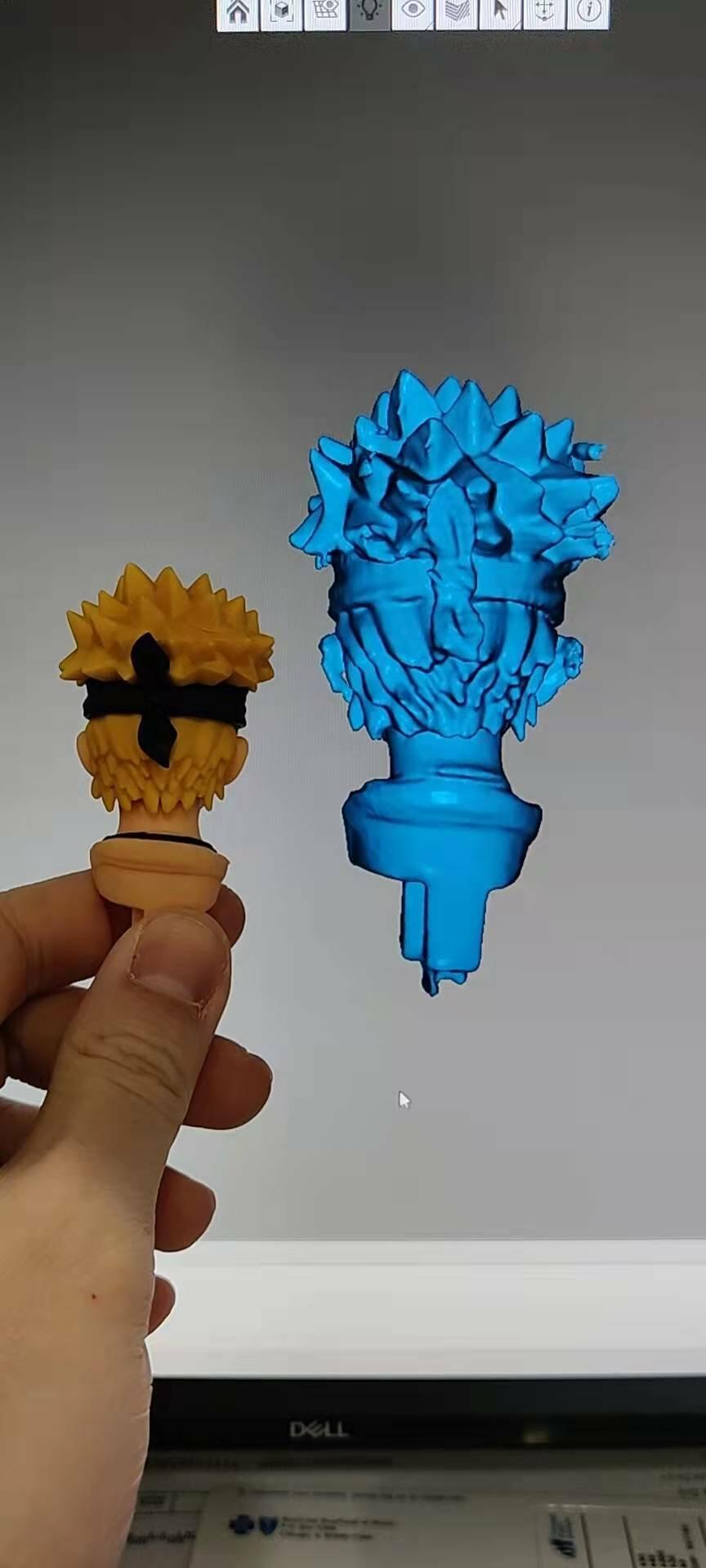
We were able to scan a small head of the garage kit with nice detail! If you are looking for a reliable scanner, trust me when I say this is the one to get!